-
PT
-
ES
Preventive maintenance management allows you to track the lifecycle of preventive maintenance tasks, make changes, create versions, manage multiple tasks simultaneously, and link supporting documentation.
State flow
Preventive maintenance follows a predefined state flow:
- New: initial state; allows changes;
- Approved: does not allow changes and generates preventive maintenance events;
- Closed: final state; does not allow changes;
- Replaced: final state; used in previous versions of a preventive maintenance task;
- Canceled: final state; does not allow changes.
The following diagram shows how transitions between states occur:
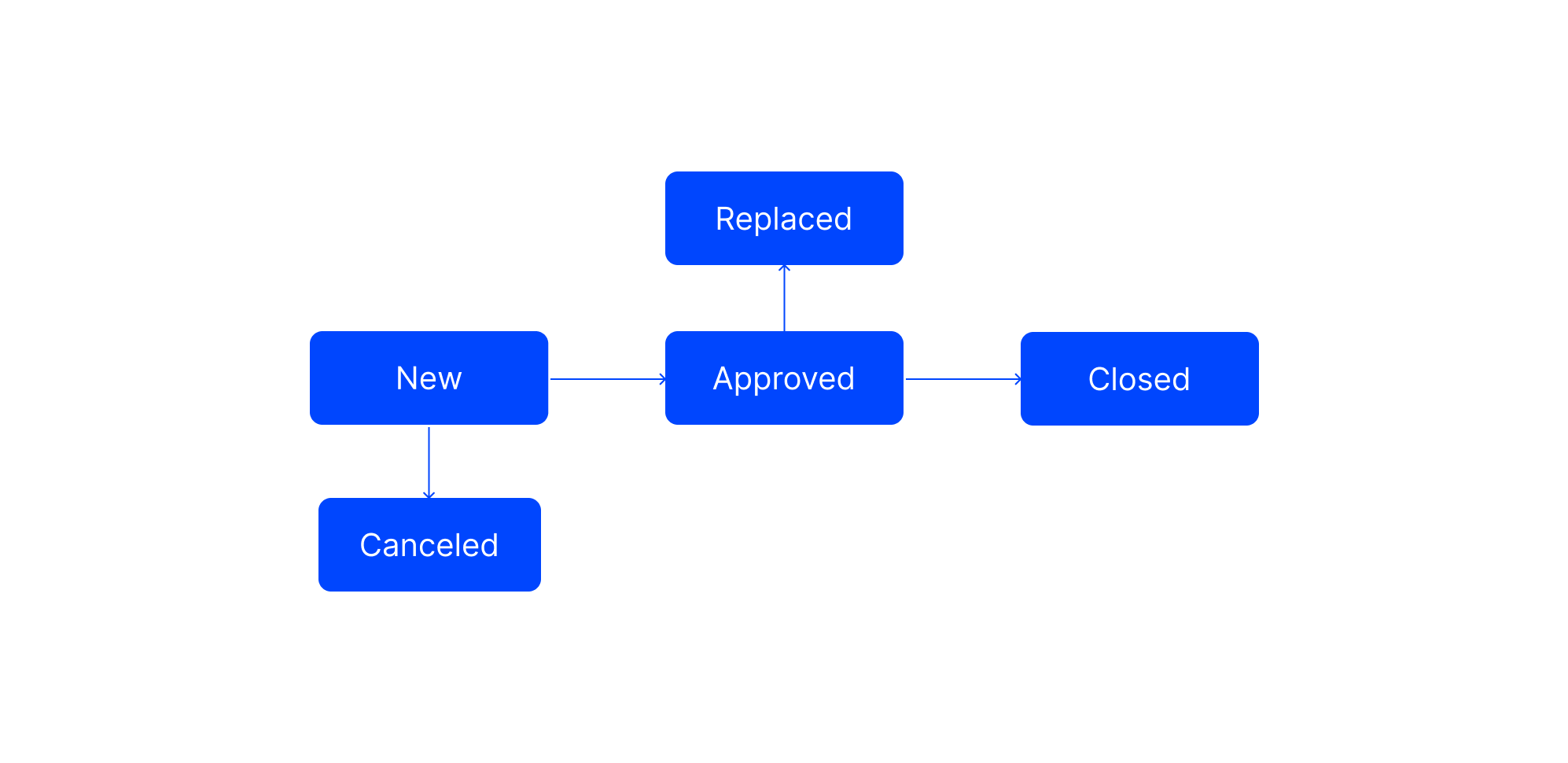
Transitions between preventive maintenance states
Create version
Creating versions allows you to modify a preventive maintenance task without losing the history.
To create a version of a preventive maintenance task, follow these steps:
- Access Work | Preventive Maintenance | Preventive Maintenances;
- Select the desired preventive maintenance task from the list;
- Click on Operations, then on NewVersion;
- Edit the desired fields;
- Click Save.
When creating a version of a preventive maintenance task, the following rules must be considered:
- The new version is created in the New state;
- When the new version changes to the Approved state, the previous version changes to the Replaced state;
- You can delete the new version before approving it by clicking the trash can icon.
You can only create a version for preventive maintenance when the state is Approved.
Batch Management
Batch processing allows you to perform operations on multiple preventive maintenance tasks simultaneously.
To manage preventive maintenance in batches, follow these steps:
- Access Work | Preventive Maintenance | Prev. Maint.Management;
- Set the state (required);
- Apply optional filters (workshop, dates, asset);
- Select the desired preventive maintenance tasks;
- Select the operation to perform:
- New Version;
- Change State, specifying the New State;
- Delete;
- Click Process.
- You can only create versions for preventive maintenance in the Approved state;
- New versions can be created in the Pending or Approved states;
- In the created versions of the selected preventive maintenance tasks, the following fields can be modified:
- Projection end;
- Priority level;
- Workshop;
- Person In Charge;
- Work order state.
You can select up to 25 records at a time.
Add attachments
To add an attachment to a preventive maintenance task, follow these steps:
- Access Work | Preventive Maintenance | Preventive Maintenances;
- Find the desired preventive maintenance task;
- Click the Edit icon in the preventive maintenance row;
- Click the Attachments icon;
- Add files by selecting them or dragging and dropping them;
- Click Confirm;
- Click Save.
Note: Attachments associated with preventive maintenance are automaticallycopiedto the work order, as are attachments from maintenance plans and tasks.